

Assignments are the day-to-day work in a course — homework, readings, discussions, papers, lab reports — anything that isn’t a formal exam. (Exams and other high-stakes evaluations are Assessments; see Assessments.)
The Assignments tab
The Assignments tab lists every assignment across the courses in your selected term, filterable by All / Completed / Incomplete and by assignment type (Case Study, Discussion, Homework, and whatever other types are in use).
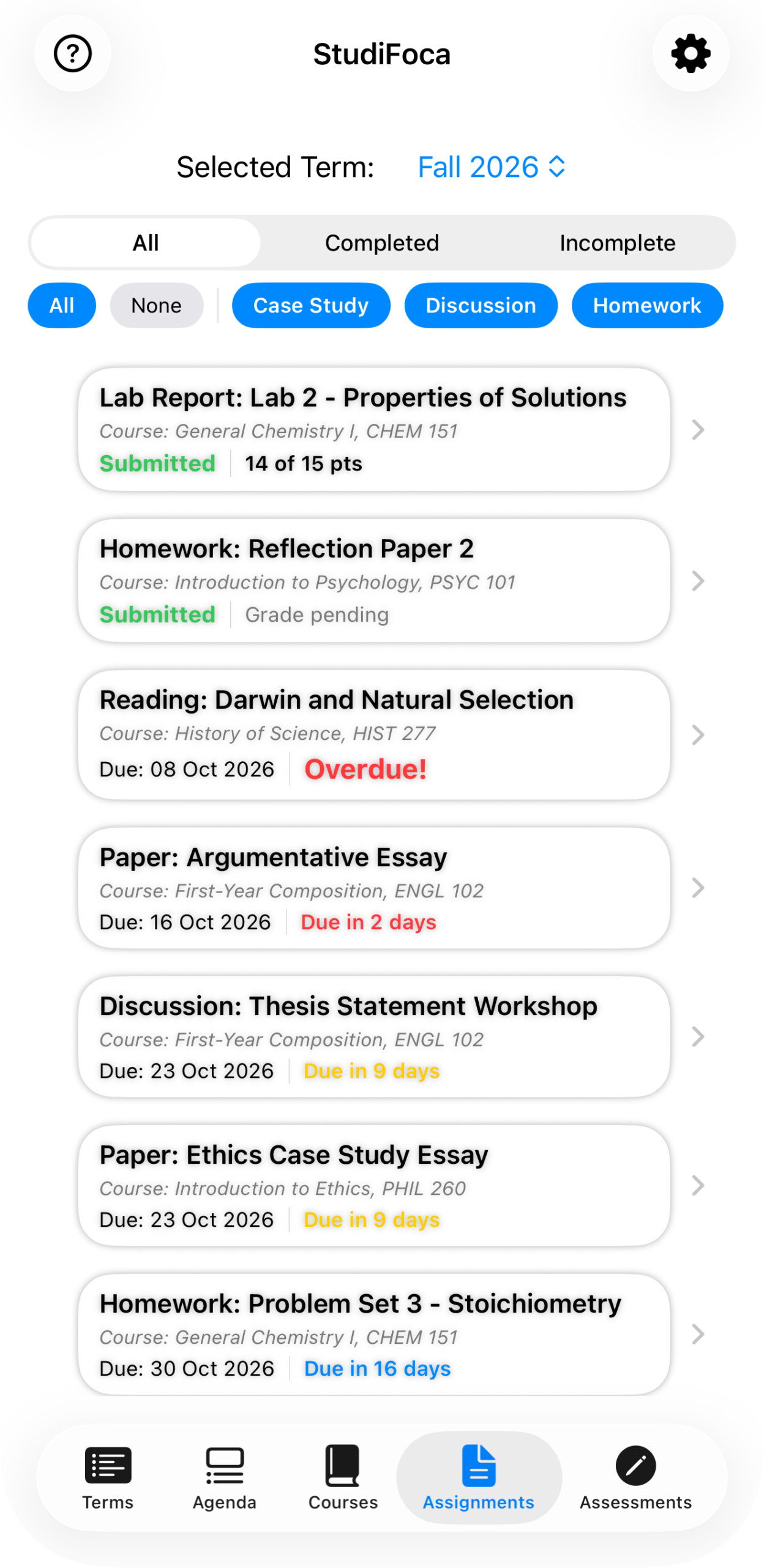
A mixed list: submitted work with points shown, an overdue reading in red, and upcoming items color-coded by how soon they’re due.
Tapping into one shows its details, its due date and countdown, and — if you haven’t already — a Start Working button.
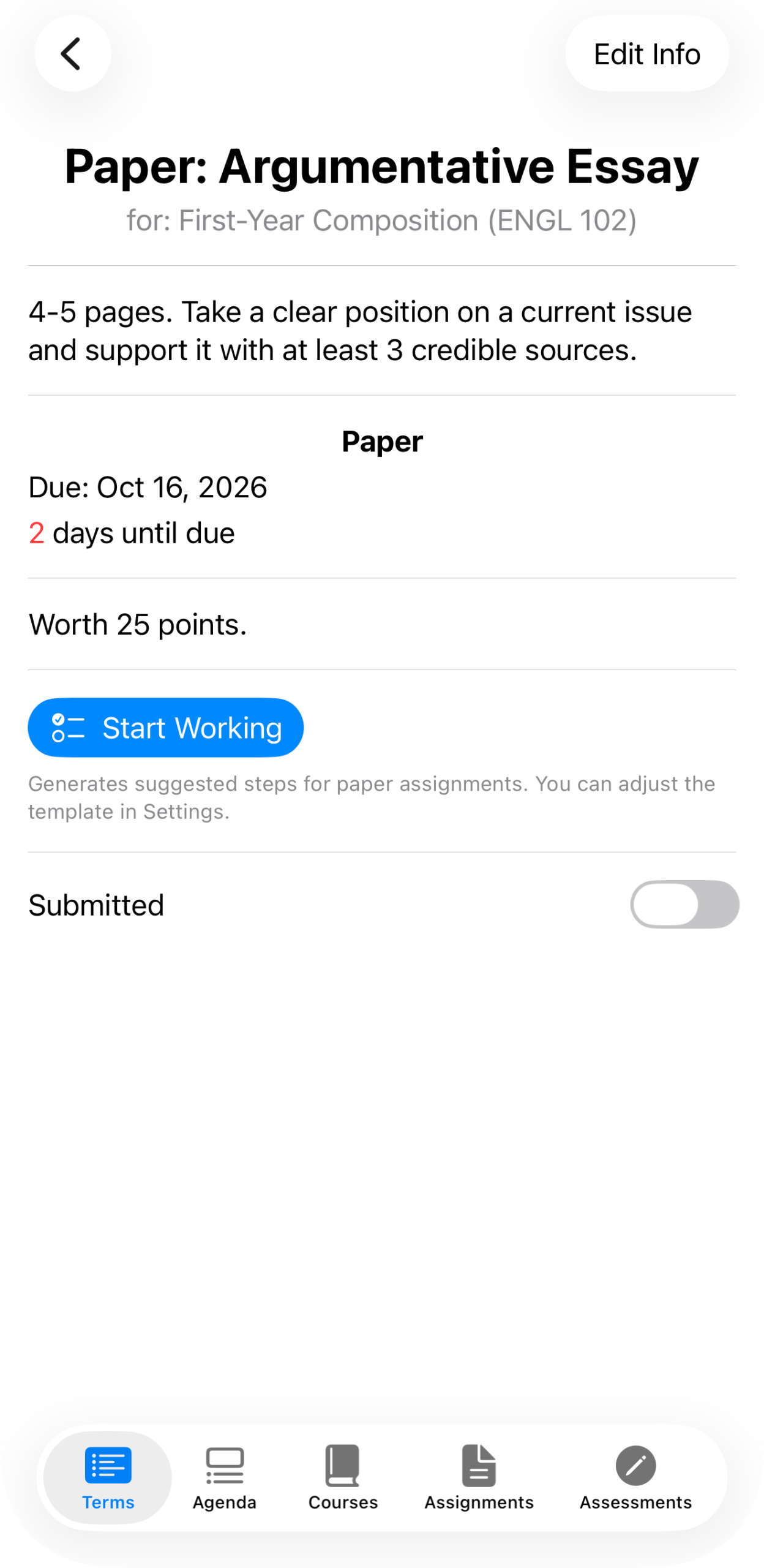
“Paper: Argumentative Essay” for First-Year Composition (ENGL 102). Start Working is where breaking an assignment into steps begins — see Breaking down an assignment.
Adding an assignment
From a course’s … menu, choose Add Assignment.
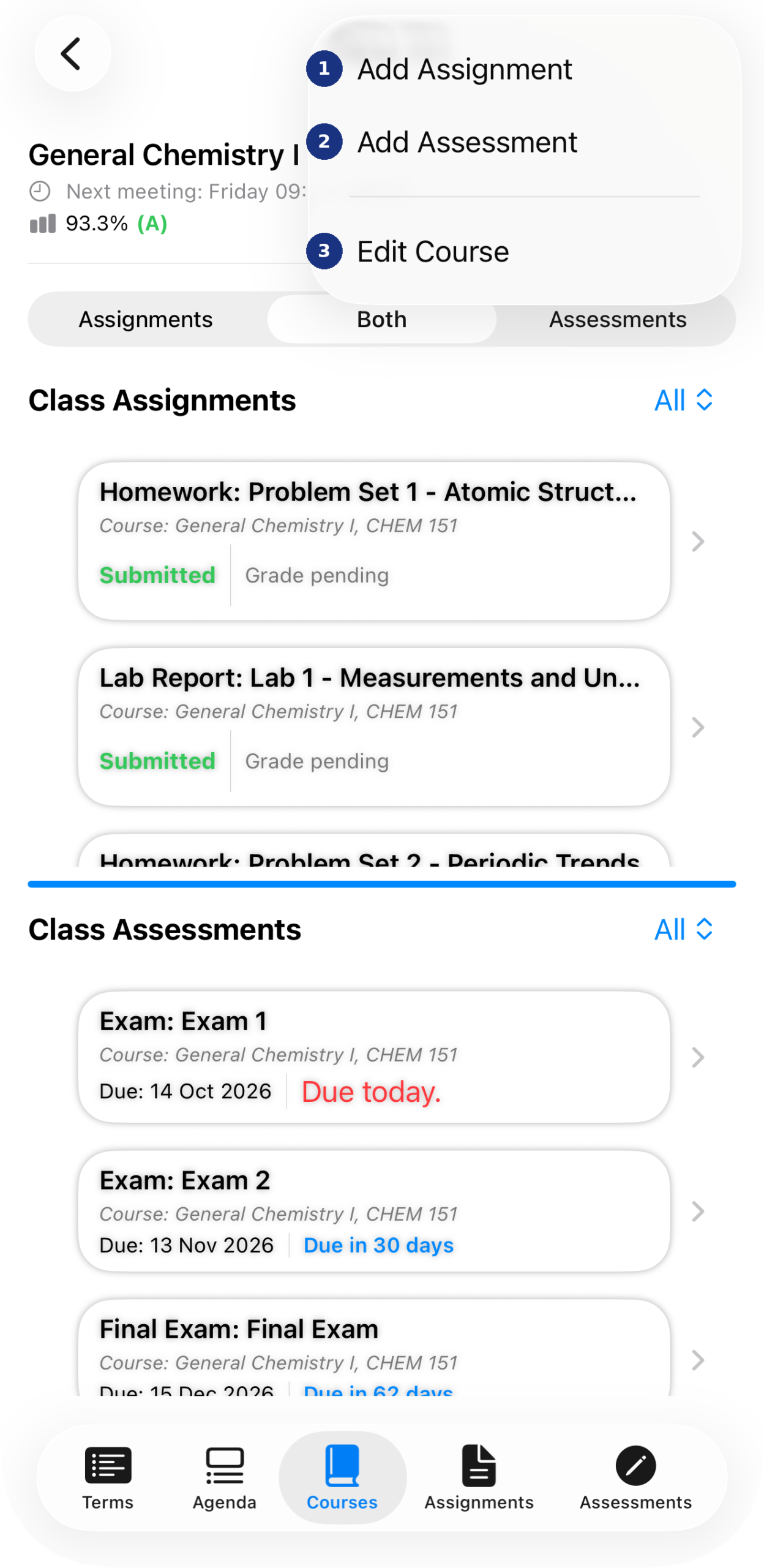
The course-level menu — Add Assignment, Add Assessment, and Edit Course all live here.
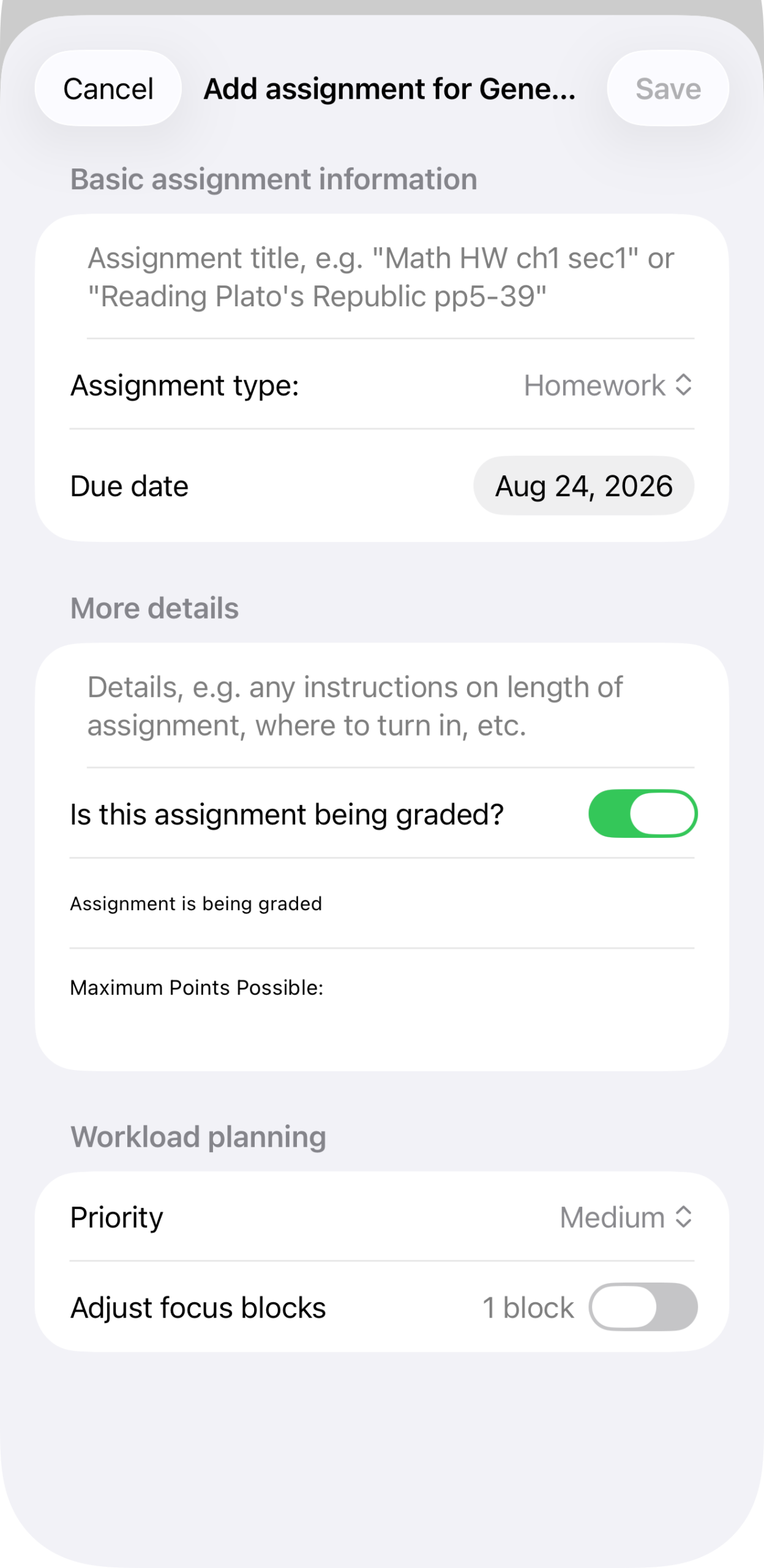
The Add Assignment form: title, type (defaults to Homework), and a due date. Below that, optional details, whether it’s graded and worth a maximum point value, a priority level, and Adjust focus blocks — a manual override for the block estimate StudiFoca will otherwise size on its own once you start working on it.
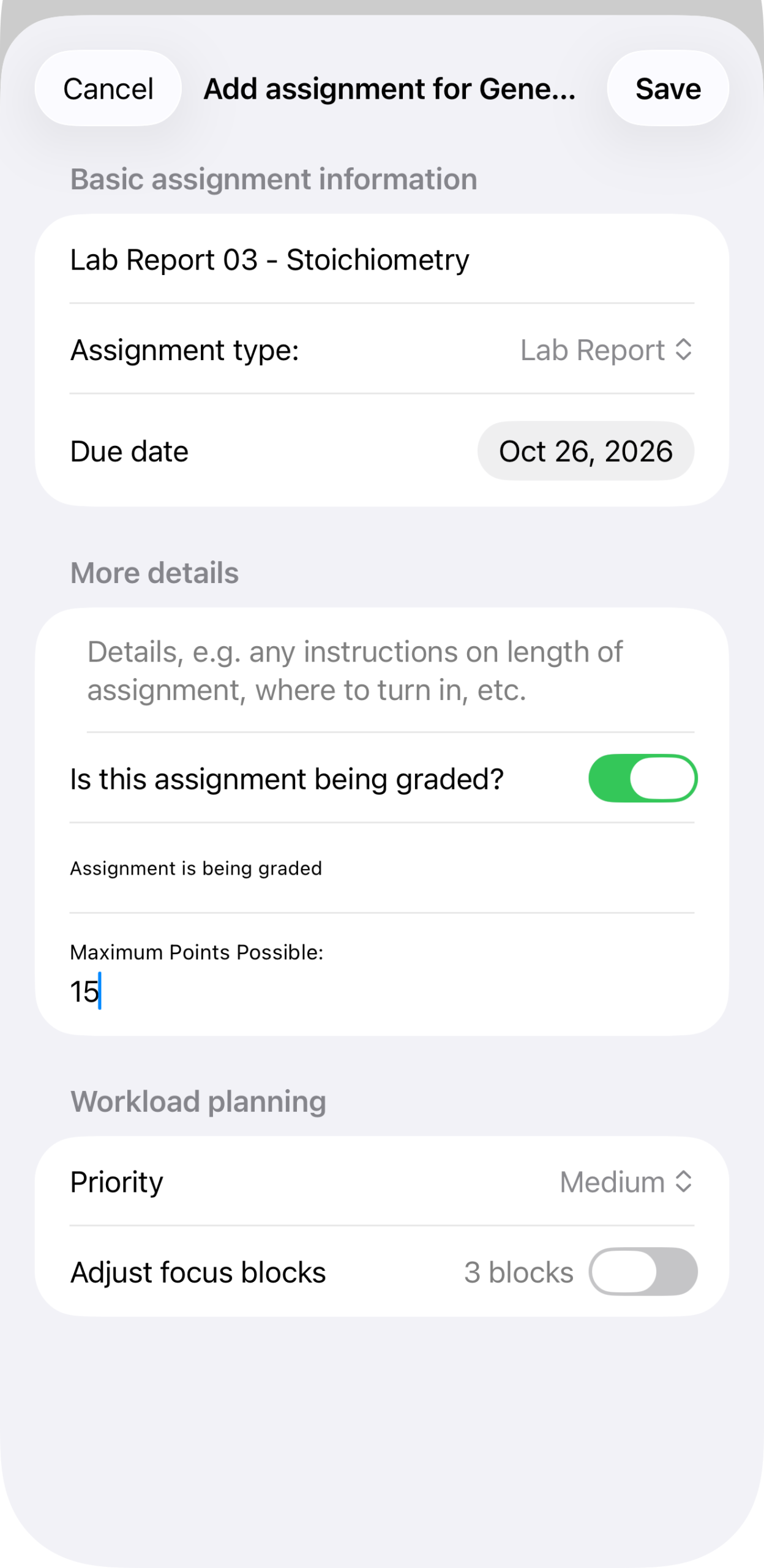
Filled in for a lab report — type Lab Report, due date, graded out of 15 points, priority Medium, and a 1-block estimate.
Tap Save to add it to the course.