

Once an assignment has a breakdown, its steps can be spread across the days leading up to the due date instead of sitting in one undifferentiated list. For how StudiFoca decides where each step lands, see How the scheduler thinks.
Setting a start date
From the breakdown view, tap Schedule steps, then choose a Starting date.
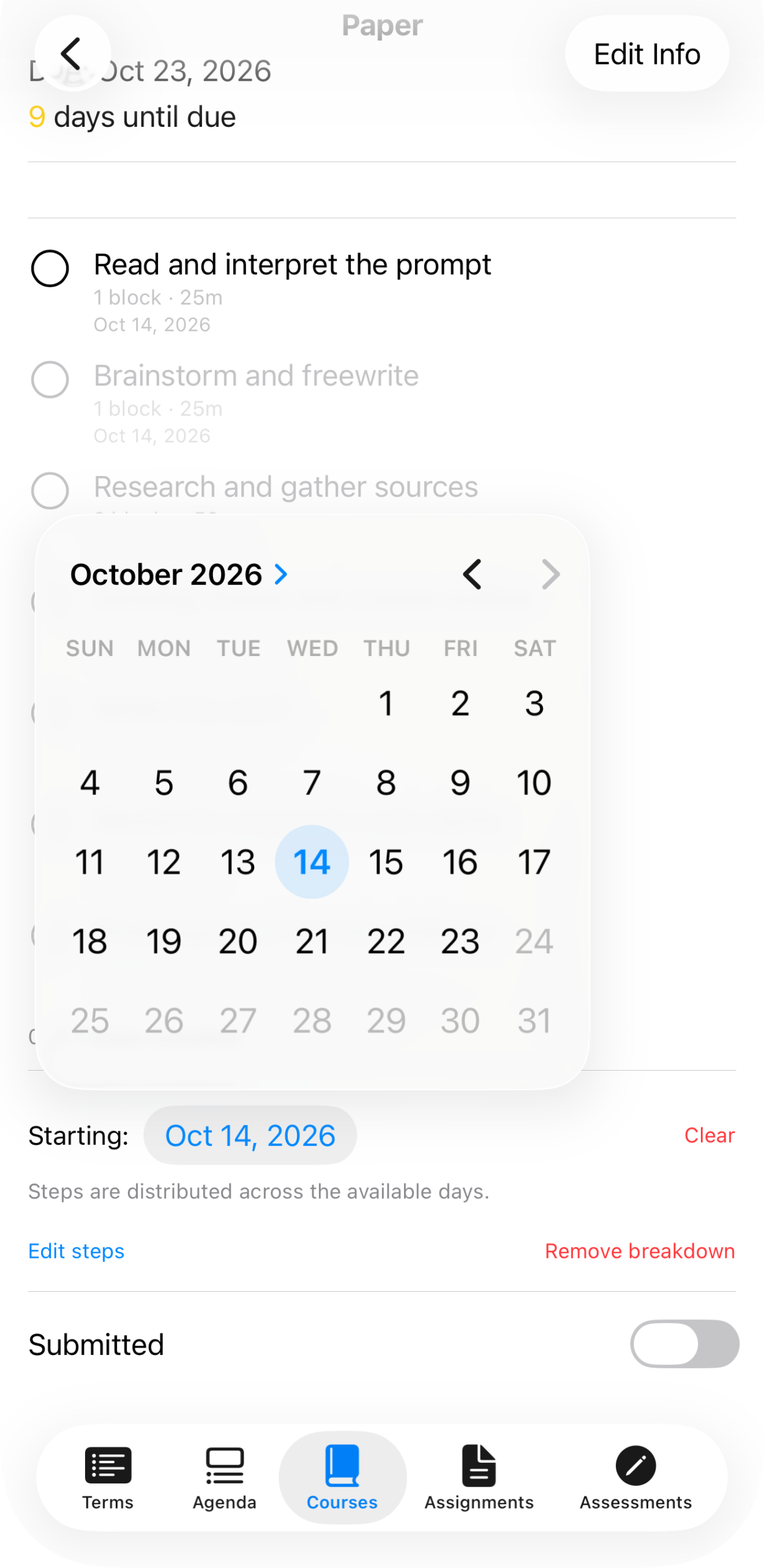
The Starting date picker, set to Oct 14, 2026 — steps are distributed across the available days between here and the due date.
Once a start date is set, each step shows the day it’s scheduled for, and the whole set appears on your Agenda.
The payoff: steps on your Agenda
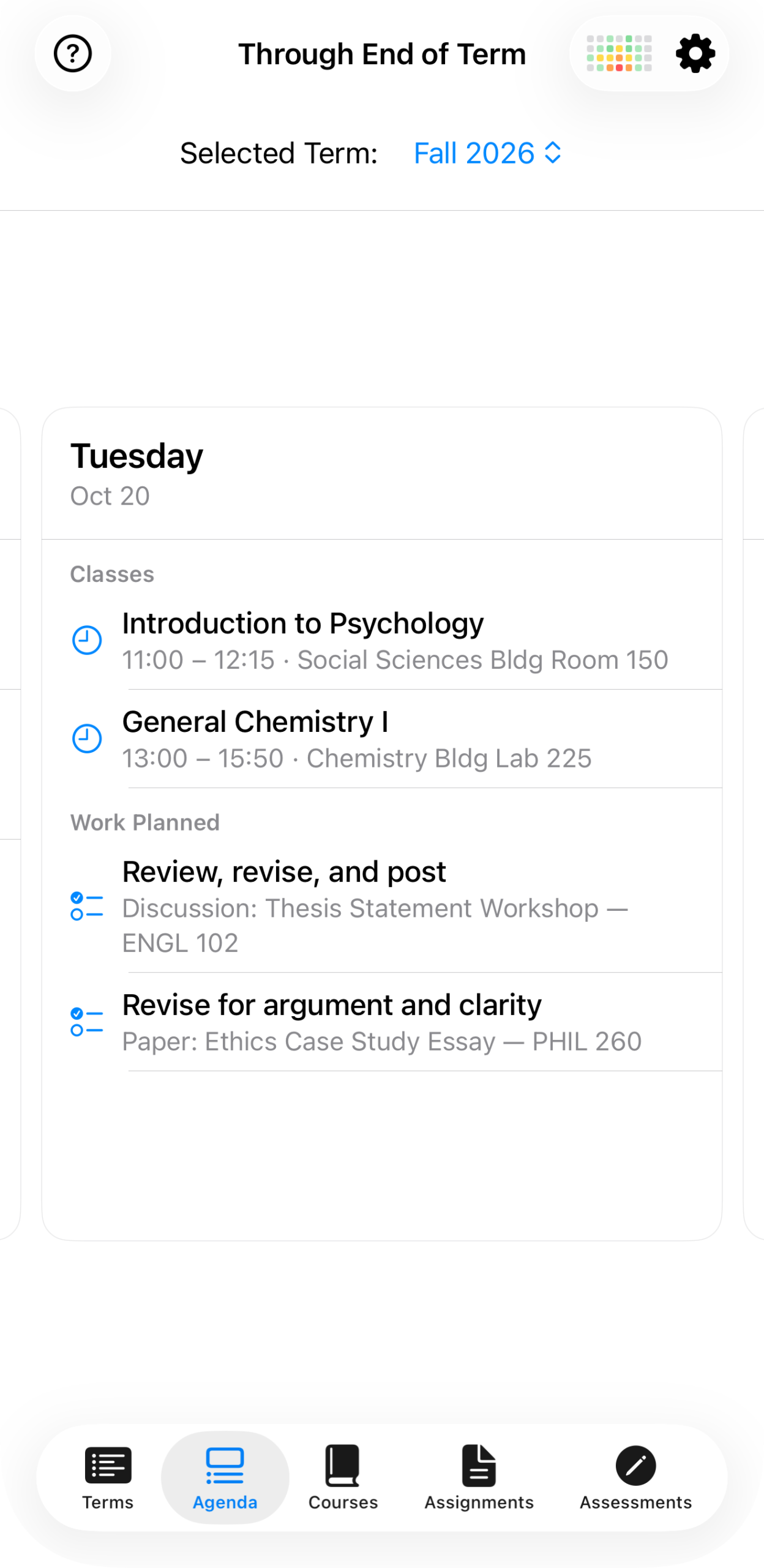
Tuesday, Oct 20: alongside the day’s class meetings, “Work Planned” shows two scheduled steps due that day — a discussion post for First-Year Composition and a revision pass on the Ethics Case Study Essay.
This is the same information as the breakdown view, just distributed onto the days you’ll actually be looking at. Clear removes the start date and collapses the schedule back to an unscheduled list, without touching the steps or their completion status.