

StudiFoca’s reminder levels exist because “remind me” isn’t one setting for everyone — how much nudging actually helps varies a lot from student to student, and can vary for the same student from one week to the next.
Why levels stack instead of switching
Rather than a single on/off notification toggle, or a handful of unrelated options, each level includes everything the level below it does and adds one or two more nudges on top.
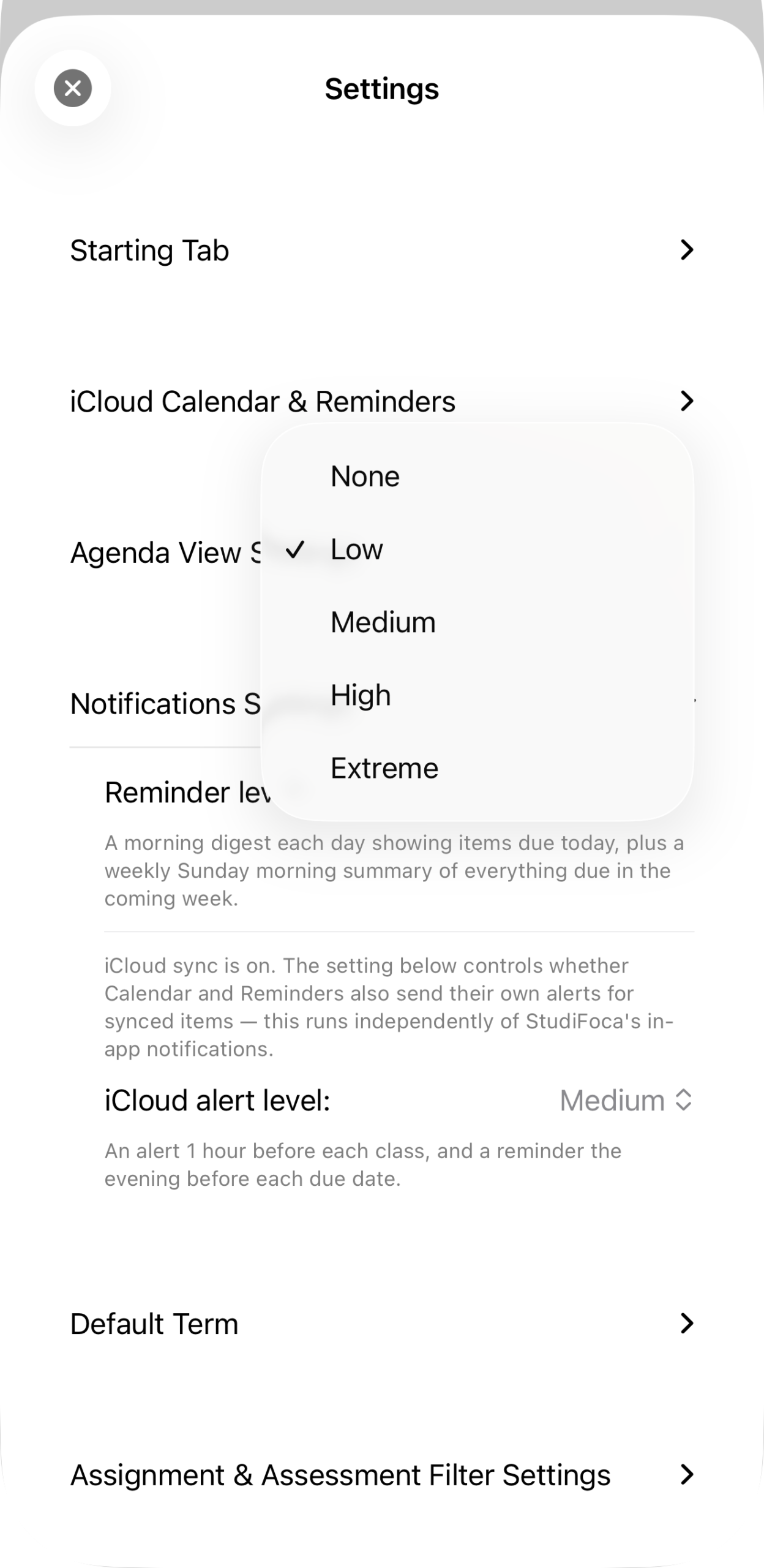
The five levels: None, Low, Medium, High, Extreme.
- None — no reminders; items still appear in your lists and, if synced, your calendar.
- Low — a morning digest of what’s due today, plus a Sunday summary of the week ahead.
- Medium — everything in Low, plus an evening digest of tomorrow’s items. This is the default.
- High — everything in Medium, plus a timed warning before each assessment, a 5 PM alert for anything still due today, and a midday nudge for items due within two days. Class-meeting warnings can also be switched on here.
- Extreme — everything in High, plus a midday nudge for items due within four days and a second, fixed 15-minute warning before each assessment.
The stacking means moving from Medium to High doesn’t trade one set of reminders for another — it’s strictly more. Turning the level down loses reminders, not gains different ones.
A second, separate dial: iCloud alerts
Reminder level controls StudiFoca’s own in-app notifications. If you’ve turned on iCloud sync (see Syncing steps to Reminders), there’s a second setting — iCloud alert level — that controls whether Calendar and Reminders send their own alerts for the items StudiFoca has synced into them. It runs independently: you could have StudiFoca’s own reminders off entirely and still get an alert from Reminders an hour before class, or the reverse.
Both settings live in the same place — Settings → Notifications Settings — precisely because they’re easy to conflate but answer different questions: what does StudiFoca tell me, versus what do Apple’s own apps tell me about the things StudiFoca put there.
Why Medium is the default
Medium — a daily rhythm plus a small acknowledgment of what got done — is enough structure for most people without turning the app into a source of pressure. None and Low exist for students who find any notification intrusive; High and Extreme exist for students who’ve told us, in one way or another, that they need the app to be louder about it. There’s no “correct” level. Change it whenever the current one stops fitting how the term feels.